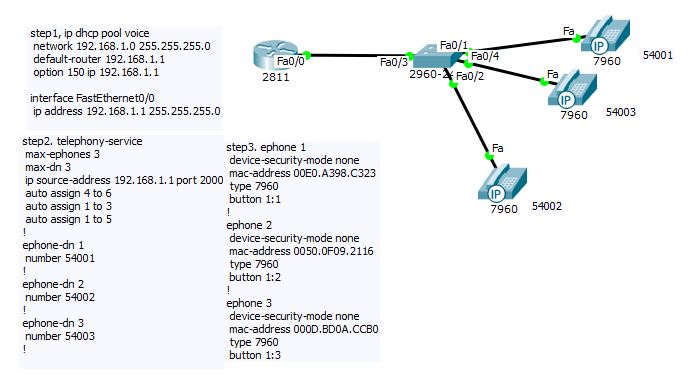
1. راه اندازی یک شبکه ساده ip phone
http://uupload.ir/files/w14z_ip_phone_configuration.jpg
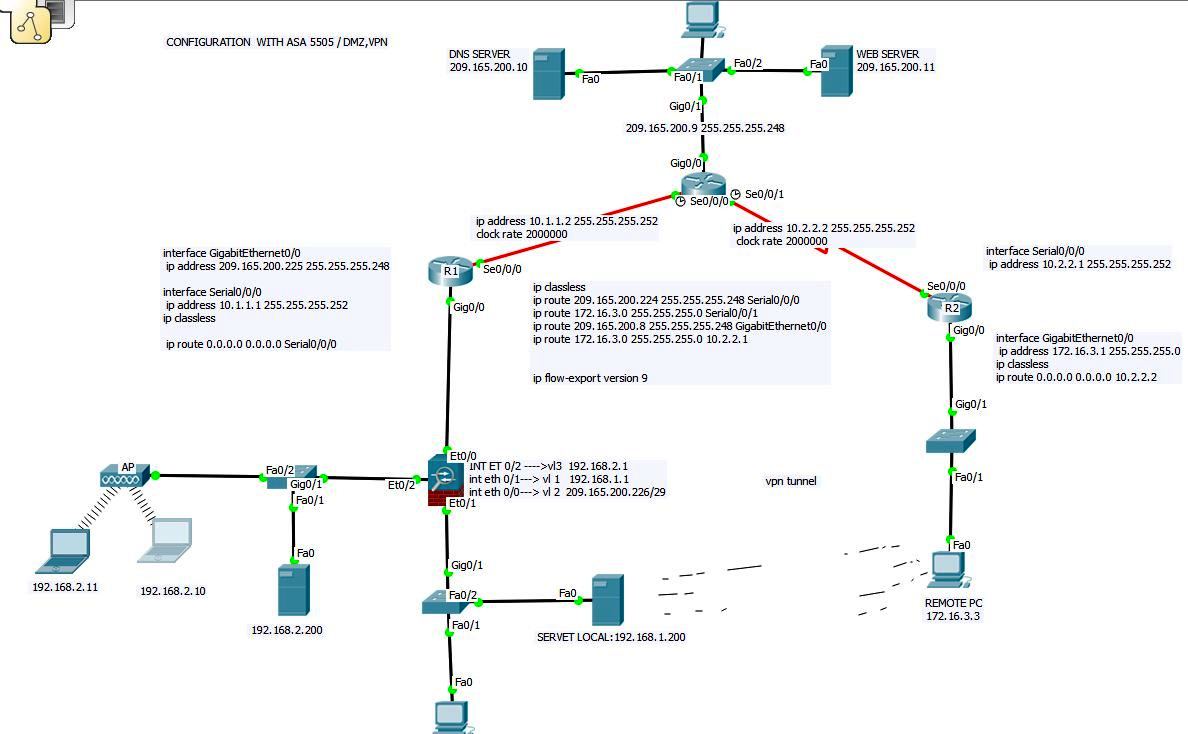
2.پیکره بندی cisco asa به همراه یک vpn clientless و DMZ با نرم افزار cisco
http://uupload.ir/files/48bo_configuration_with_asa_5505_,dmz_vpn.jpg
روش تست کارکرد صحیح شبکه:
Inside:
- From the Local PC-1 ping 209.165.200.11. (this may require doing it twice)
- From the Local PC-1 ping 192.168.1.200. (this may require doing it twice)
- From the Local PC-1 open the desktop and browse to freeccnalab.com
- From the Local PC-1 open the desktop and browse to SharePoint.
dmz:
- From the Local LT-1 ping 192.168.2.200. (this may require doing it twice)
- From the Local LT-1 ping 209.165.200.11. (this may require doing it twice)
- From the Local PC-1 open the desktop and browse to freeccnalab.com.
- From the Local PC-1 open the desktop and browse to Local
Remote:
- From the Remote PC ping 209.165.200.11. (this may require doing it twice)
- From the Remote PC ping 192.168.1.200.
- From the Remote PC ping 192.168.2.200.
- From the Remote PC open the desktop and browse to freeccnalab.com.
- From the Remote PC open the desktop and browse to SharePoint.
- From the Remote PC open the desktop and browse to https://209.165.200.226.
- Enter the username client and password cisco.